
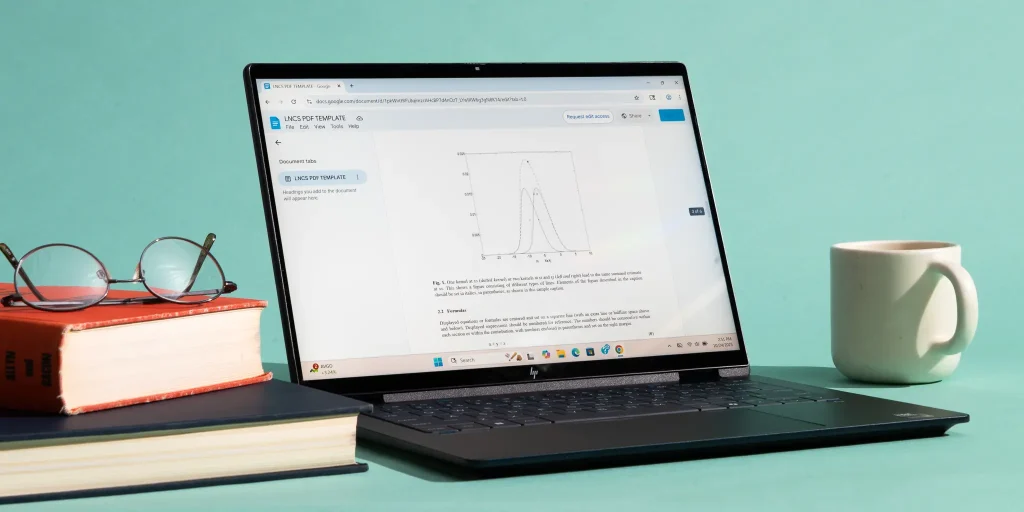
Online learning has become a normal part of education. Whether you’re attending school, college, university, or taking professional courses, having the right laptop can make studying much easier.
Many students think they need the most expensive laptop available, while others choose the cheapest option they can find. In reality, neither approach is always the best.
The ideal laptop for online classes should be reliable, fast enough for everyday tasks, easy to carry, and capable of lasting through several years of study.
In this guide, we’ll explain what students should look for before buying a laptop and which specifications offer the best value in 2026.
Why Choosing the Right Laptop Matters
A laptop is more than just a device for attending video classes.
Students use it every day for:
- Online lectures
- Research
- Assignments
- Presentations
- Writing reports
- Group projects
- Email communication
- Video calls
- Watching recorded lessons
A slow or unreliable laptop can waste valuable study time and become frustrating during exams or important online meetings.
Choosing the right laptop from the beginning can save money and provide a much better learning experience.
What Makes a Good Laptop for Online Classes?
Students don’t usually need powerful gaming hardware or expensive workstation laptops.
Instead, they should focus on features that improve everyday productivity.
A good student laptop should offer:
- Fast performance
- Comfortable keyboard
- Good webcam
- Clear microphone
- Long battery life
- Lightweight design
- Reliable WiFi
- Enough storage for assignments and projects
Recommended Specifications
If you’re buying a laptop that should remain useful for several years, these specifications are a great starting point.
Processor
Choose one of the following:
- Intel Core i5
- Intel Core Ultra 5
- AMD Ryzen 5
These processors provide excellent performance for studying, multitasking, and everyday work.
RAM
RAM helps your laptop run multiple programs smoothly.
8GB RAM
Suitable for:
- Basic browsing
- Online classes
- Documents
- Emails
16GB RAM
Recommended for most students.
It allows you to:
- Keep many browser tabs open
- Join video meetings
- Work on assignments
- Use Microsoft Office
- Run educational software comfortably
If your budget allows, 16GB RAM is the better long term investment.
Storage
Storage determines how many files, documents, and applications your laptop can hold.
A 512GB SSD is the ideal choice for most students.
Benefits include:
- Faster startup
- Faster software loading
- Better reliability
- Quiet operation
Although 256GB SSD models are available, many students eventually need more space as coursework grows.
Display Size
Students often carry laptops between home, university, and libraries.
Choosing the right size makes a difference.
14 Inch
Excellent portability.
Perfect for students who travel every day.
15.6 Inch
The most popular choice.
Offers a larger workspace while remaining reasonably portable.
16 Inch
Ideal if you spend long hours working on projects or prefer a bigger screen.
Display Quality
Try to choose a laptop with:
- Full HD resolution
- IPS display
- Anti glare screen
A sharper display makes reading documents, watching lectures, and editing presentations much more comfortable.
Battery Life
Battery life is one of the most important features for students.
Nobody wants to search for a power outlet halfway through a lecture.
Aim for a laptop that offers approximately eight to ten hours of everyday usage.
Keep in mind that actual battery life depends on screen brightness and workload.
Webcam and Microphone
Online classes depend heavily on video communication.
A laptop with a clear webcam and decent microphone provides a much better experience during:
- Zoom meetings
- Microsoft Teams
- Google Meet
- Online presentations
Many newer laptops also include AI noise reduction, helping reduce background sounds during calls.
Keyboard Comfort
Students spend hours typing assignments and taking notes.
A comfortable keyboard can reduce fatigue during long study sessions.
Before purchasing, if possible, try typing on the keyboard to see whether it feels comfortable.
WiFi Connectivity
Stable internet is essential for online learning.
Modern laptops supporting newer WiFi standards generally provide faster and more reliable connections, especially when multiple devices share the same network.
Should Students Buy a Gaming Laptop?
This depends on your needs.
Gaming laptops offer:
- Powerful processors
- Dedicated graphics
- Larger cooling systems
However, they also tend to be:
- More expensive
- Heavier
- Louder
- Shorter battery life
If your main purpose is attending classes and completing assignments, a standard laptop is usually the better option.
Choose a gaming laptop only if you also play games or use demanding software.
Should You Buy a Refurbished Laptop?
Many students have limited budgets.
A professionally refurbished laptop can be an excellent choice.
Benefits include:
- Lower price
- Better specifications for the money
- Reduced electronic waste
- Reliable performance when purchased from a trusted seller
Always buy refurbished laptops from a reputable retailer that checks, tests, and verifies each device before sale.
Best Laptop Brands for Students
Several manufacturers produce excellent student laptops.
HP
HP offers a wide range of affordable laptops suitable for education.
Many models provide:
- Good battery life
- Comfortable keyboards
- Reliable performance
- Modern designs
Dell
Dell laptops are known for durability and reliability.
The Inspiron series is particularly popular among students.
Lenovo
Lenovo laptops are widely appreciated for their excellent keyboards and dependable performance.
ASUS
ASUS offers excellent value, particularly in mid range laptops.
Students often find ASUS laptops provide strong performance at competitive prices.
Features Students Often Overlook
When buying a laptop, many students focus only on the processor.
Several other features deserve attention.
Weight
If you’ll carry your laptop every day, a lighter model makes commuting much easier.
Build Quality
A strong chassis and durable hinges help the laptop survive years of daily use.
Upgrade Options
Some laptops allow future RAM or storage upgrades, extending their lifespan.
Number of Ports
Check whether the laptop includes:
- USB ports
- HDMI
- Headphone jack
- USB C
Having enough ports reduces the need for extra adapters.
Common Mistakes Students Make
Buying the Cheapest Laptop Available
Saving money is important, but buying an underpowered laptop can lead to frustration after only a year or two.
Ignoring Battery Life
Students often study in libraries, classrooms, and cafes.
A laptop with poor battery life quickly becomes inconvenient.
Choosing Too Little Storage
Assignments, presentations, photos, videos, and software gradually consume storage.
Buying a slightly larger SSD today can prevent problems later.
Paying for Features You Won’t Use
Many students never use powerful gaming graphics or advanced workstation features.
Buy hardware that matches your actual needs.
Which Laptop Is Right for You?
School Students
Recommended:
- Intel Core i5 or Ryzen 5
- 8GB to 16GB RAM
- 512GB SSD
- 14 or 15.6 inch display
College Students
Recommended:
- Intel Core Ultra 5 or Ryzen 5
- 16GB RAM
- 512GB SSD
- Full HD display
University Students
Recommended:
- Intel Core Ultra 7 or Ryzen 7 for demanding courses
- 16GB RAM
- 512GB SSD or larger
- High quality display
Engineering, architecture, and media students may benefit from dedicated graphics depending on the software they use.
Frequently Asked Questions
Is 8GB RAM enough for online classes?
Yes. It is sufficient for video meetings, documents, web browsing, and everyday school work. However, 16GB RAM provides a smoother experience and is better for long term use.
How much storage do students need?
A 512GB SSD is recommended for most students because it offers enough space for documents, software, and projects.
Which screen size is best?
A 15.6 inch laptop offers an excellent balance between portability and workspace, while a 14 inch laptop is ideal for students who travel frequently.
Do students need a dedicated graphics card?
Most students do not. Dedicated graphics are mainly useful for gaming, video editing, animation, and certain engineering applications.
Can a refurbished laptop be a good option?
Yes. Buying a professionally refurbished laptop from a trusted retailer can provide excellent value while staying within a student budget.
Final Thoughts
The best laptop for online classes isn’t necessarily the most expensive one. It’s the one that helps you study comfortably, stay productive, and remain reliable throughout your education.
Focus on choosing a modern processor, enough RAM, fast SSD storage, a comfortable keyboard, and good battery life. These features will have a much bigger impact on your daily experience than simply choosing the most expensive model.
At ComNet, we offer a carefully selected range of new, used, and professionally refurbished laptops from trusted brands like HP, Dell, Lenovo, and ASUS. Whether you’re starting school, entering university, or upgrading your current device, our team can help you find a laptop that matches both your needs and your budget.